
MP3 Tag Editor Online: Edit MP3 Tags and Album Art for Free
Open an MP3, fix its title, artist, album, genre, lyrics or cover art, and download the corrected file. This MP3 tag editor online reads and rewrites the ID3 tag on your own device, so your music is never uploaded and the audio is never re-encoded.
Drop an MP3 file here
Or choose a file from your device · MP3 (ID3v1, ID3v2.2–2.4) up to 100 MB
Processed in your browser — your file is never uploaded
How to use the MP3 tag editor online in 3 steps
- 1
Open your MP3
Drag an MP3 onto the editor or press Choose MP3 file. The MP3 tag editor online reads the existing ID3 tags right away and fills in every field it finds, including the embedded cover.
- 2
Edit tags and cover art
Correct the title, artist, album, album artist, year, track and disc number, genre, composer, BPM, comment and lyrics. Add, replace or remove the album art with one click.
- 3
Save and download
Press Save & download MP3. A fresh copy is written with a clean ID3v2.3 tag and saved to your device, named after the artist and title.
Why use this MP3 tag editor online
Edit MP3 tags online without installing anything
Desktop taggers are great for huge libraries, but for a handful of songs you shouldn’t need to install software. This MP3 tag editor online works in any modern browser on Windows, macOS, Linux, Chromebook, iPhone and Android.
Private by design: no upload
The MP3 file is opened with your browser’s File API and rewritten in memory. Nothing is sent to a server, so unreleased demos and personal recordings stay on your device. You can even disconnect from the internet after the page loads.
Lossless: the audio is never touched
An MP3 metadata editor only needs to change the tag block at the start of the file. The audio frames are copied byte for byte, so the sound and bitrate stay exactly the same.
Readable everywhere
Tags are written as ID3v2.3 with Unicode text, the version that phones, car stereos, iTunes/Apple Music, Windows, VLC and most DJ apps read reliably — so accents, Cyrillic, Chinese, Japanese and Korean titles display correctly.

Who it’s for
Fix messy downloads
Replace “Track 01” and “Unknown Artist” with the real song information.
Release your own music
Add artist, album, artwork and lyrics before you share a demo or upload to a distributor.
DJs and radio
Fill in BPM, genre and comments so tracks sort and search properly in your software.
Podcasts and audiobooks
Set episode titles, track numbers and a show cover so players list them in order.
Which tags can this MP3 tag editor online change?
Every field maps to a standard ID3 frame, so other apps understand it.
| Field | ID3 frame | Tip |
|---|---|---|
| Title | TIT2 | Song name only — no track number or artist. |
| Artist | TPE1 | Separate featured artists with “/”. |
| Album · Album artist | TALB · TPE2 | Album artist keeps compilations grouped. |
| Year | TYER | Four digits, e.g. 2026. |
| Track # · Disc # | TRCK · TPOS | Use 3/12 to show the total. |
| Genre · Composer · BPM | TCON · TCOM · TBPM | Used for sorting, smart playlists and DJ software. |
| Comment · Lyrics | COMM · USLT | Lyrics show in many mobile and car players. |
| Cover art | APIC (front cover) | Square JPG or PNG, 500–1400 px. |
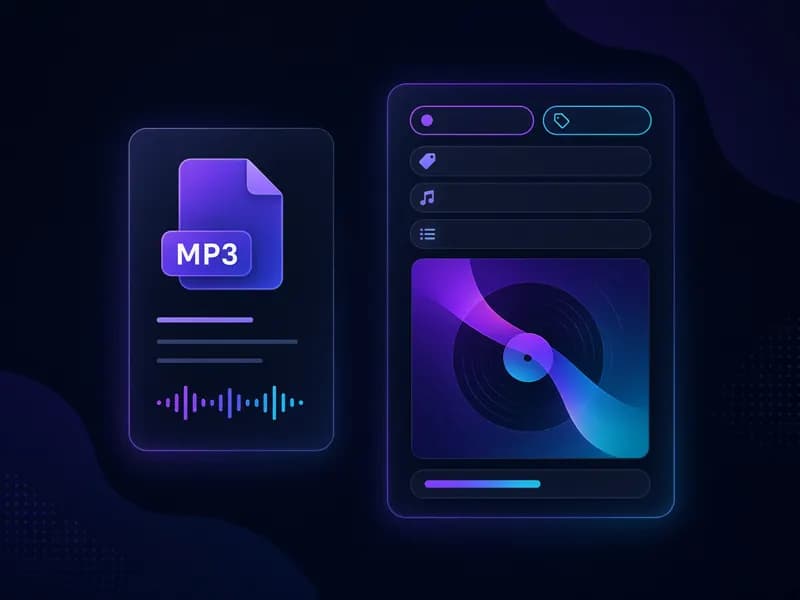
MP3 tag editor online features
Reads every common tag
ID3v2.2, v2.3, v2.4 and old ID3v1 tags are read, so the form opens pre-filled.
Album art in seconds
Add, replace or remove the embedded cover. JPG, PNG, WebP and GIF accepted.
Lyrics and comments
Store unsynchronised lyrics and notes inside the file.
100% client-side
No upload, no account, no tracking of your files — the MP3 tag editor online runs locally.
Instant save
Writing a new tag takes well under a second, even for long mixes.
Preview before saving
Play the track in the page to make sure you’re tagging the right song.
Tips for clean MP3 metadata

- Use the same spelling of an artist across every file — players group tracks by exact text.
- Fill in Album artist for compilations and features, otherwise one album may split into many.
- Use 3/12 style track numbers so players sort and show the album length.
- Square cover art around 1000×1000 px looks sharp without bloating the file.
- Keep a copy of the original MP3 until you’ve checked the new tags in your player.
Need a new song to tag? Make one with MusicGenerator.so
MusicGenerator.so is an AI music generator: describe a mood or paste your lyrics and get a full song with vocals or an instrumental. Download it as MP3, then give it a proper title, artist and cover with this MP3 tag editor online.
Create a songFrequently asked questions
More free AI music tools
Ready to tidy up your music?
Open an MP3 above and fix its tags in seconds with the free MP3 tag editor online — or create a brand-new song with the AI music generator.
Last updated October 2026.