
Song to Instrumental Converter: Remove the Vocals, Keep the Music
Upload any song and this song to instrumental converter separates the voice from the music with AI. You get a clean instrumental track, the isolated vocals and the drum, bass and other stems — inside MusicGenerator.so.
Advanced mode is preselected, so the song to instrumental converter returns a clean Instrumental track as well as vocals and stems. Sign in to start.
How to convert a song to an instrumental
- 1
Upload the song
Drop an MP3, WAV, FLAC or M4A file (up to 50 MB) into the song to instrumental converter, or pick a song from your library.
- 2
Keep Advanced mode
Advanced mode gives you the 4 stems plus a cleaner vocal and instrumental pair — the best setting to convert a song to an instrumental.
- 3
Play and download
Solo the Instrumental track the song to instrumental converter created, check it in the editor and download it. The vocals and stems are there too.
Why use this song to instrumental converter
What is a song to instrumental converter?
A song to instrumental converter takes a finished mix with singing and removes the lead vocal, leaving the music. Modern converters use AI source separation models instead of the old phase-cancellation trick, so the instrumental keeps its stereo image and bass.
More than one file
This song to instrumental converter does not stop at a karaoke track: the same run gives you the isolated vocals and separate drums, bass and other stems for remixing or practice.
Real separation, not a filter
Every upload is processed by stem separation models on our servers. The song to instrumental converter returns real audio files you can play, solo and mute in the browser.
Use music you have rights to
Only convert songs you own or have permission to use. A song to instrumental converter does not change the copyright of the original recording.
Who it’s for
Karaoke
Use the song to instrumental converter to turn a favourite song into a sing-along backing track.
Covers & practice
Sing or play over the converted instrumental instead of the original vocal — a classic use of a song to instrumental converter.
Remixes & edits
Use the instrumental and stems as a starting point for a remix or mashup you have rights to make.
Content creators
Get a backing track without the vocal for a video, stream or podcast segment where you hold the rights.
How the song to instrumental converter works
The song to instrumental converter runs on the same split engine as our Vocal Remover and stem splitter.
1. Upload and analyse
The song to instrumental converter reads your file or library song and sends it to the separation engine.
2. Separate the voice
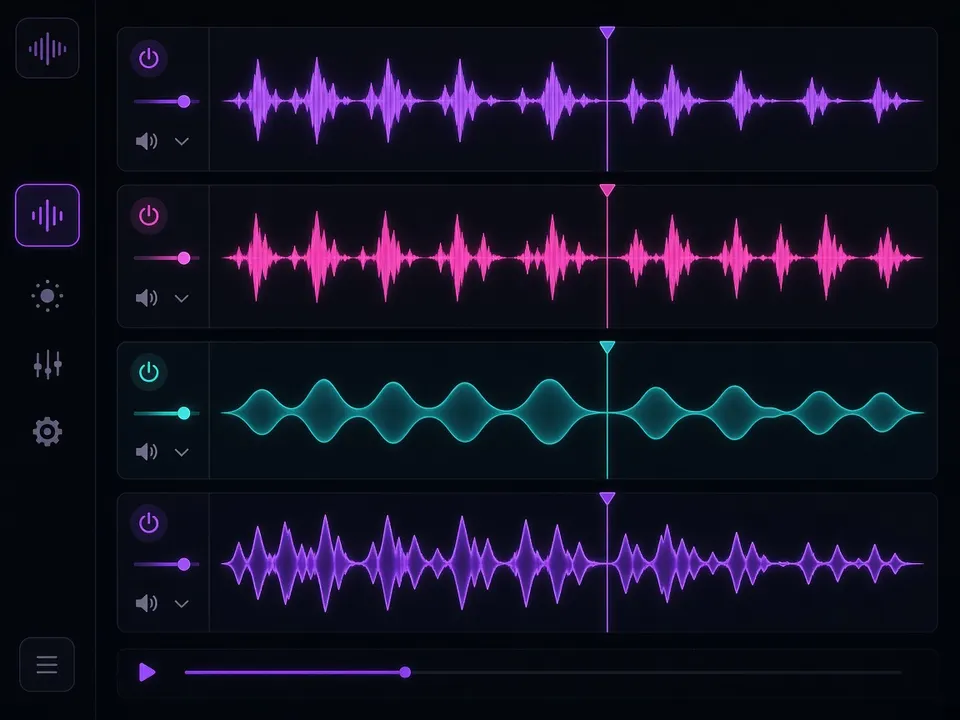
AI models split the mix into vocals, drums, bass and other instruments; Advanced mode adds a dedicated vocal and instrumental pair.
3. Prepare the tracks
Each track is converted to WAV and MP3 with a waveform so you can preview it straight away.
4. Play, mute and download
Solo the instrumental, mix the stems in the editor and download what you need.
Song to instrumental converter features
Clean instrumental track
Advanced mode outputs a dedicated Instrumental track, not just a guess from the stems.
Isolated vocals too
The song to instrumental converter also returns the acapella for covers and remixes.
Drums, bass and other stems
Every run includes the four core stems for deeper editing.
In-browser stem mixer
Mute, solo and balance each track before you download it.
MP3, WAV, FLAC, M4A
Upload files up to 50 MB or choose a song from your library.
WAV and MP3
Tracks are prepared as WAV and MP3; download options depend on your plan.
Tips for a cleaner instrumental
- Start from the best source: a WAV or FLAC gives the song to instrumental converter more detail than a low-bitrate MP3.
- Studio pop, hip-hop and EDM separate most cleanly; dense live or orchestral recordings can leave more vocal bleed.
- Keep Advanced mode on — its dedicated instrumental track is usually cleaner than mixing the stems yourself.
- Listen to the gaps between vocal phrases; that is where reverb tails show up first.
- Need only the beat? Mute the 'other' stem as well to get a drums-and-bass version.
- Convert only songs you own or are licensed to use.
Song to instrumental converter vs other options
Ways people try to make an instrumental from a song, compared.
| This song to instrumental converter | Phase-cancellation vocal cut | Searching for an official instrumental | |
|---|---|---|---|
| Works on any song | Yes, upload your file | Only centred vocals | Only if one was released |
| Keeps bass and stereo | Yes | Often loses them | Yes |
| Isolated vocals | Included | No | Rarely |
| Separate stems | Drums, bass, other | No | No |
| Time | A few minutes | Seconds | Varies |
More than a song to instrumental converter: MusicGenerator.so
MusicGenerator.so is a full AI music studio. Besides the song to instrumental converter you can generate original instrumentals from a prompt, write lyrics with AI and create full songs with vocals.
- Original instrumentals from one prompt
- Vocal Remover and stem splitter
- AI Song Generator with vocals
- Commercial license on paid plans
Separation quality depends on the source recording. Only process audio you own or have permission to use.
Frequently asked questions
More free AI music tools
Ready to convert a song to an instrumental?
Upload your track and let the MusicGenerator.so song to instrumental converter separate the vocals.
Last updated October 2026.